Category: Home Office

  • Home Office Layout Ideas for Maximum Productivity

    Home Office Layout Ideas for Maximum Productivity

    I have learned that a productive workspace is not just about buying a desk and chair. The way everything is placed affects focus, energy, comfort, and even how long I can work without feeling drained. That is why Home Office Layout Ideas for Maximum Productivity should begin with smart planning, not random decorating.

    Why Your Home Office Layout Matters

    A good layout helps reduce distractions and makes daily work feel easier. When the desk, chair, lighting, storage, and technology are arranged properly, the space supports concentration instead of fighting against it.

    The best home office should feel calm, organized, and easy to move around in. It should also match the type of work being done. Someone who takes calls all day needs a different setup than someone who writes, designs, studies, or manages paperwork.

    Choose the Right Work Zone First

    The first step is choosing a quiet area with limited foot traffic. A spare bedroom, unused corner, hallway nook, basement section, or dining room wall can all work if planned correctly without affecting areas meant to boost foot traffic.

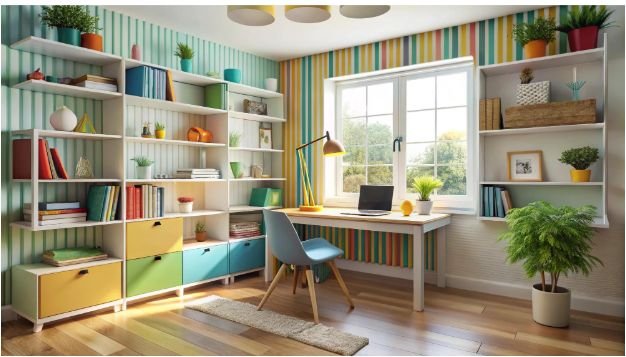
    The goal is to create a dedicated work zone, even in a small space. This helps the brain separate work time from relaxation time. A simple rug, bookshelf, divider, or wall color can visually define the office area without needing a separate room.

    Place the Desk for Better Focus

    Place the Desk for Better Focus

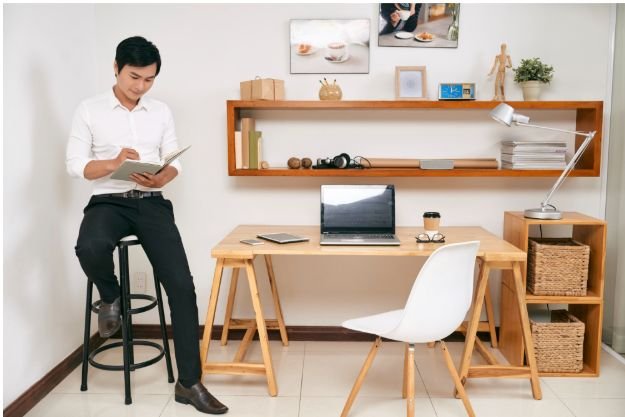
    Desk placement is one of the most important layout decisions. Ideally, the desk should face the room entrance or sit sideways to a window. This keeps the space open while still allowing natural light to enter.

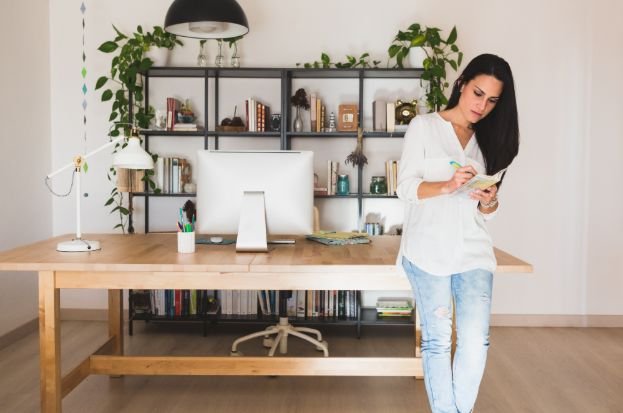
    Avoid placing the screen directly in front of a bright window because glare can cause eye strain. Also avoid sitting with your back fully exposed to a busy room, as it may create distractions. A wall-facing desk can work well for deep focus, but adding art or a small shelf prevents the space from feeling plain.

    Use Natural Light Without Glare

    Natural daylight can make a workspace feel fresh and energizing. Place the desk near a window when possible, but use curtains, blinds, or adjustable shades to control brightness.

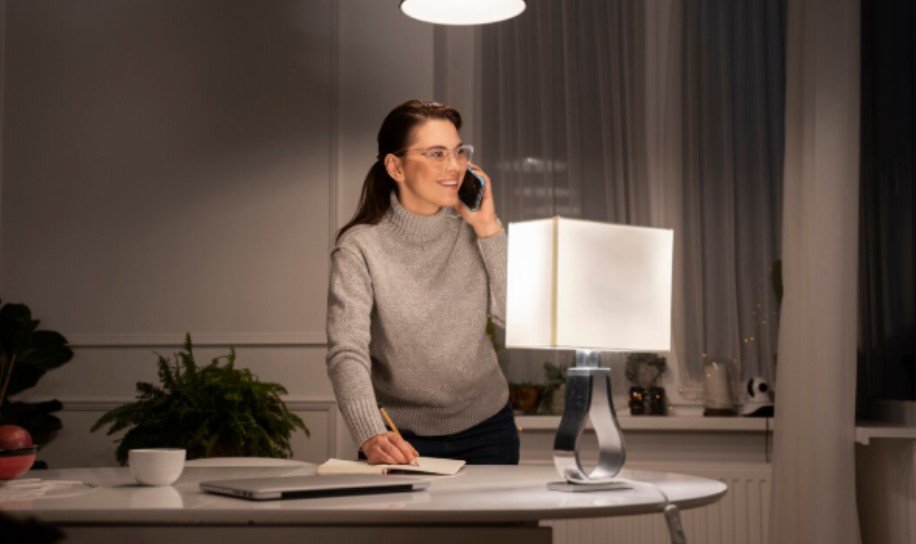
    For evening work, add layered lighting. A ceiling light alone is often not enough. Use a desk lamp for task lighting and a soft floor lamp or wall light to reduce harsh shadows. Good lighting improves comfort and helps the office feel more professional.

    Create Work, Storage, and Break Zones

    One of the strongest Home Office Layout Ideas for Maximum Productivity is dividing the space into clear zones. The work zone should hold only daily essentials. The storage zone should include files, supplies, books, chargers, and extra equipment. A small break zone can include a comfortable chair, plant, or reading corner.

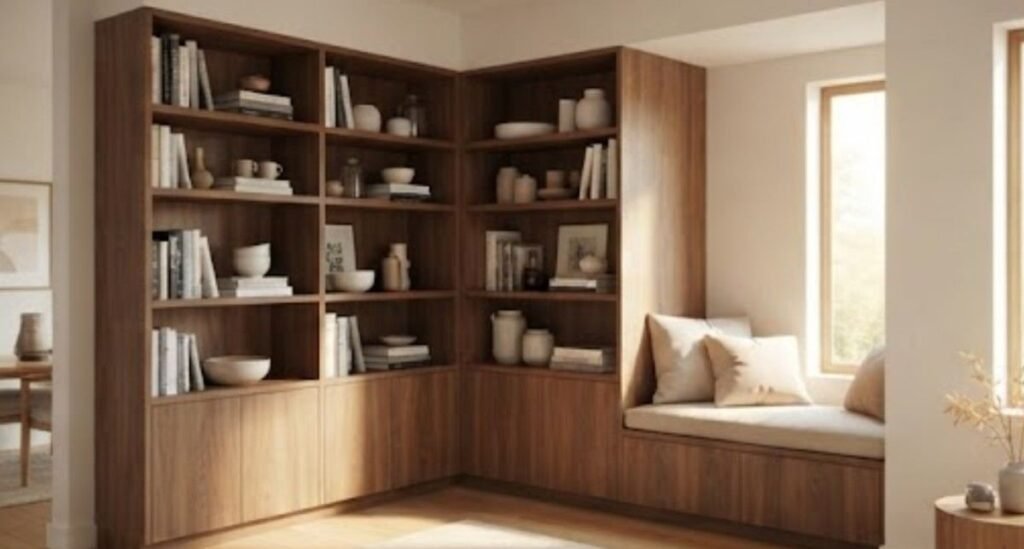
    This layout keeps clutter away from the desk and makes the room feel more intentional. Even a tiny office can have zones if vertical shelves, rolling carts, wall hooks, or under-desk drawers are used wisely.

    Small Home Office Layout Ideas

    Small spaces need smarter furniture. A wall-mounted desk, floating shelf, corner desk, foldable table, or ladder desk can save valuable floor space. Choose furniture with built-in storage to avoid crowding the room. As part of your home office feng shui tips for better productivity, arrange your furniture to promote a clear flow of movement, reduce visual clutter, and position your desk in a way that helps you feel comfortable, focused, and in control of your workspace.

    In a bedroom office, place the desk away from the bed if possible. In a living room office, use a bookcase or console table to blend the workspace with existing decor. In a closet office, add shelves above the desk and use bright lighting to make the area feel open.

    Ergonomic Layout Tips

    Ergonomic Layout Tips

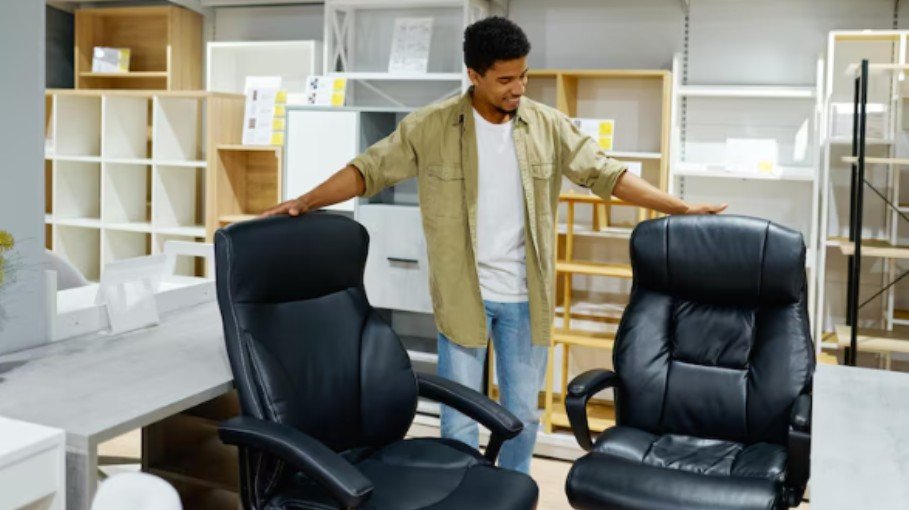
    Productivity drops quickly when the body feels uncomfortable. The chair should support the lower back, and the feet should rest flat on the floor or on a footrest. The monitor should be at eye level, and the keyboard should allow relaxed shoulders.

    Keep frequently used items within arm’s reach. This includes notebooks, pens, chargers, headphones, and water. Items used less often should go in drawers or shelves. This simple setup reduces unnecessary movement and helps maintain focus.

    Keep Cables and Clutter Hidden

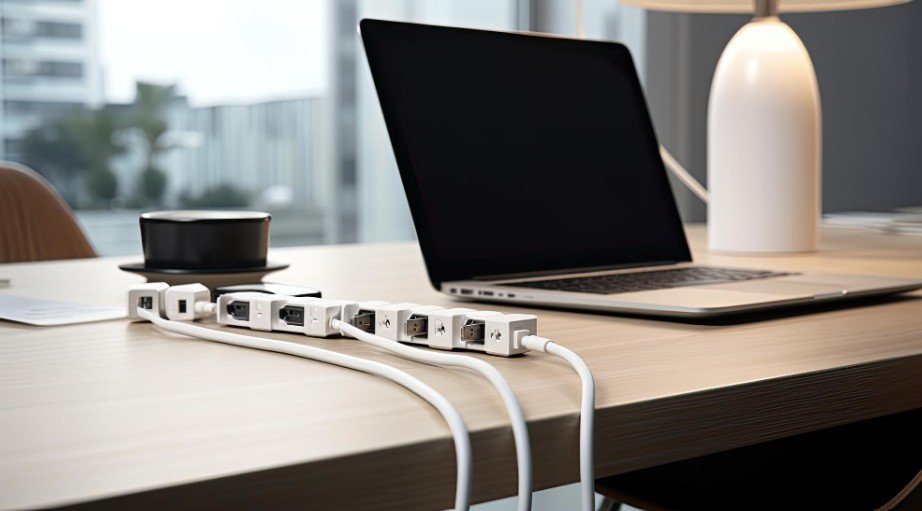
    Messy wires can make even a beautiful office feel stressful. Use cable clips, cord boxes, under-desk trays, and wireless accessories when possible. Label chargers if multiple devices are used.

    A clutter-free desk should include only what is needed for the current task. Use trays for paperwork, baskets for supplies, and closed cabinets for items that look messy. Clean surfaces make the room feel calmer and easier to work in.

    Add Plants and Personal Details

    A productive office should not feel cold. Add a plant, framed photo, artwork, candle, or textured rug to make the space inviting. However, keep decor balanced. Too many items can become visual noise.

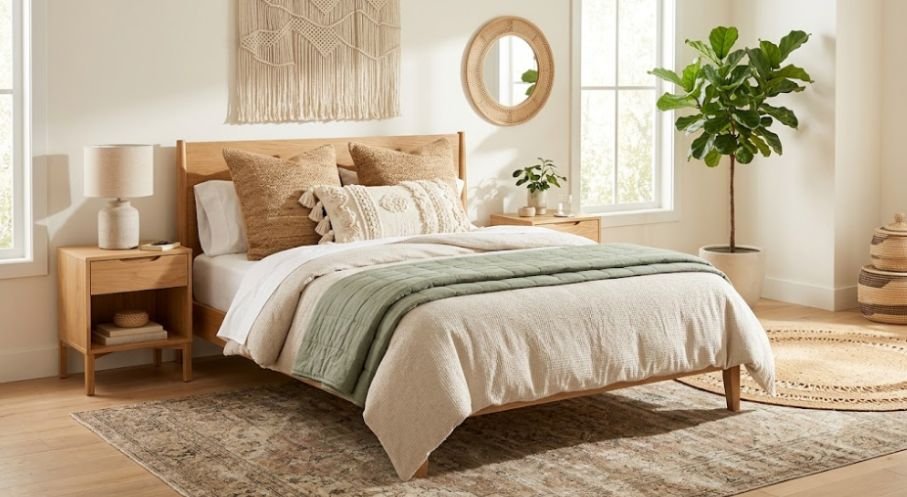
    Choose colors that support focus. Soft neutrals, warm wood tones, muted greens, and light blues work well for a calm workspace. Darker tones can feel stylish but should be balanced with good lighting.

    Frequently Asked Questions

    1. What are the best Home Office Layout Ideas for Maximum Productivity?

    The best ideas include placing the desk near natural light, using an ergonomic chair, creating storage zones, reducing clutter, hiding cables, and keeping distractions away from the workspace.

    2. Where should a desk be placed in a home office?

    A desk works best near natural light but not directly facing glare. Facing the room entrance or sitting sideways to a window usually creates a balanced and comfortable setup.

    3. How can I make a small home office productive?

    Use vertical shelves, compact desks, wall-mounted storage, foldable furniture, and good lighting. Keep only daily essentials on the desk to avoid clutter.

    4. What should every home office include?

    Every home office should include a comfortable chair, proper desk height, good lighting, storage, cable management, and a quiet setup that supports focused work.

    Final Thoughts

    When I plan a workspace, I focus on comfort, clarity, and flow before decoration. A beautiful office is helpful, but a functional office is what keeps work moving smoothly. With the right desk placement, lighting, storage, and ergonomic setup, Home Office Layout Ideas for Maximum Productivity can turn even a small corner into a focused and inspiring workspace.

  • Home Office Feng Shui Tips for Better Productivity

    Home Office Feng Shui Tips for Better Productivity

    Working from home taught me one thing quickly: a desk is not just a desk. The way my workspace feels can affect how clearly I think, how long I stay focused, and how smoothly my day flows. That is why Home Office Feng Shui Tips for Better Productivity can be so useful for anyone trying to create a calmer and more effective work area.

    Feng shui is not about making a room look mystical or complicated. It is about arranging your space so it feels balanced, supportive, and easy to work in. A few smart changes can help reduce distractions, improve comfort, and make your office feel more intentional.

    Why Feng Shui Matters in a Home Office

    A home office can easily become a mix of work papers, chargers, laundry, boxes, and random household items. When the space feels messy, the mind often feels messy too. Feng shui focuses on energy flow, but in practical terms, it also supports better organization, comfort, and focus.

    A better layout can make your office feel less stressful. Good lighting, clean surfaces, proper desk placement, and natural elements all help create a space where work feels easier.

    Place Your Desk in the Command Position

    One of the most common feng shui tips is placing your desk in the command position. This means your desk should face the entrance of the room, but not sit directly in line with the door.

    This setup helps you feel more aware and in control. Sitting with your back to the door can create a subtle sense of distraction because you cannot see what is behind you. If your room layout does not allow this, use a small mirror so you can see the entrance from your seat.

    Avoid Facing a Blank Wall All Day

    A desk pushed directly against a blank wall can feel limiting. If you must face a wall, add calming artwork, a vision board, or a clean shelf with a few meaningful items. The goal is to make the view feel open and inspiring instead of cramped.

    Declutter Before You Decorate

    Declutter Before You Decorate

    No feng shui setup works well if the desk is covered in clutter. Start by removing anything that does not support your workday. Keep only the items you use often, such as your laptop, notebook, pen holder, lamp, and one or two personal objects.

    Clear drawers, sort papers, hide extra wires, and avoid stacking old files where you can see them. A clean desk helps the room feel lighter and makes it easier to begin work without feeling overwhelmed.

    Use Natural Light Whenever Possible

    Natural light can make a home office feel more energetic and pleasant. If possible, place your desk near a window, but avoid harsh holes and glare on your screen. Soft daylight can improve mood and make long work hours feel less draining.

    If your office does not get much daylight, use layered lighting. A ceiling light alone may feel flat, so add a desk lamp for task work and a warm floor lamp for balance.

    Choose Colors That Support Focus

    Color has a strong effect on how a room feels. Soft greens, warm neutrals, muted blues, and earthy shades are often good choices for a productive office. These colors create a calm atmosphere without making the space feel dull. If your office also serves as a reading or meeting area, knowing how to choose a sofa that complements your color palette and provides lasting comfort can help create a workspace that is both functional and inviting.

    Avoid using too many bold colors around your desk. Bright red, neon tones, or overly busy patterns may feel exciting at first, but they can become distracting during long work sessions.

    Add Plants for Fresh Energy

    Plants are one of the easiest ways to bring life into a workspace. They soften the look of desks, shelves, and corners while adding a natural element to the room.

    Good options include snake plants, pothos, peace lilies, or small succulents. Choose low-maintenance plants if you are busy. A dead or neglected plant creates the opposite effect, so pick something easy to care for.

    Balance Technology With Calm Details

    A home office usually has screens, cables, chargers, routers, and devices. Too much visible technology can make the room feel tense. Use cable clips, boxes, baskets, or desk trays to keep cords organized.

    You can also balance tech-heavy areas with natural textures such as wood, cotton, ceramic, stone, or woven storage. This keeps the room from feeling cold or overly digital.

    Keep Your Chair Supportive and Stable

    Keep Your Chair Supportive and Stable

    In feng shui, support matters. In practical terms, that means your chair should be comfortable, sturdy, and good for your posture. A weak, wobbly, or uncomfortable chair can make work feel harder than it needs to be.

    Choose a chair with back support and adjust it so your feet rest comfortably on the floor. If your chair faces away from a wall, place a solid bookcase or cabinet behind you to create a stronger sense of support.

    Create a Clear Work Zone

    If your office is part of a bedroom, living room, or shared area, define the workspace clearly. Use a rug, shelf, screen, plant, or lighting change to separate work from personal life.

    This helps your mind understand when it is time to focus and when it is time to relax. Even a small corner can feel like a real office when it has clear boundaries.

    Avoid Sharp, Stressful Corners

    Sharp corners from furniture, shelves, or décor pointing toward your chair can make a space feel uncomfortable. If possible, soften these areas with plants, rounded accessories, fabric, or repositioned furniture.

    Rounded shapes can make the office feel more welcoming. You do not need to replace everything. Small changes are enough to make the space feel smoother.

    Use Meaningful Décor, Not Random Décor

    Decorate with intention. Add items that support your goals, such as a framed quote, artwork, a clean calendar, or a small object that reminds you of progress. Avoid filling shelves with too many decorative pieces that collect dust.

    A good office should feel personal but not crowded. Every visible item should either be useful, beautiful, or motivating.

    Frequently Asked Questions

    1. What are the best Home Office Feng Shui Tips for Better Productivity?

    The best tips include placing your desk in the command position, clearing clutter, using natural light, adding plants, choosing calming colors, and keeping your chair supportive.

    2. Where should my desk face in a home office?

    Your desk should ideally face the door without being directly aligned with it. This creates a more balanced and confident working position.

    3. What colors are best for a productive office?

    Soft green, blue, beige, cream, warm white, and earthy tones work well because they feel calm, clean, and focused.

    4. Can feng shui help a small home office?

    Yes. Feng shui can work in small spaces by improving layout, reducing clutter, using better lighting, and creating a clear work zone.

    Final Thoughts

    When I changed my workspace with simple feng shui ideas, I noticed the room felt easier to use and less distracting. The biggest improvements came from moving my desk, clearing clutter, improving lighting, and adding natural elements.

    You do not need a perfect office to get results. Start with one corner, one drawer, or one desk adjustment. With the right changes, Home Office Feng Shui Tips for Better Productivity can help your workspace feel calmer, cleaner, and more focused every day.

  • L-Shaped Desk vs Straight Desk: Which Is Better?

    L-Shaped Desk vs Straight Desk: Which Is Better?

    I used to think any desk would work as long as it looked good and had enough space for my laptop. That changed once I started working longer hours from home. The wrong desk can make a room feel crowded, messy, and uncomfortable. That is why comparing L-Shaped Desk vs Straight Desk: Which Is Better? matters before buying one.

    Both desk styles can support work, study, gaming, writing, and daily computer use. The better choice depends on your room size, work habits, storage needs, and how much equipment you use every day.

    What Is an L-Shaped Desk?

    An L-shaped desk has two connected surfaces that form a corner layout. It usually fits well against two walls or in a room corner. This design gives you more surface area without needing one very long desk.

    It is useful for people who use dual monitors, printers, notebooks, files, speakers, or multiple devices. One side can hold your computer setup, while the other side can be used for writing, planning, or storage.

    What Is a Straight Desk?

    A straight desk has one simple rectangular surface. It usually sits against one wall, under a window, or in the middle of a room. It is easy to place, move, clean, and decorate. If you are looking for home office decorating ideas on a budget, pair a simple straight desk with affordable wall art, floating shelves, a small desk lamp, or low-maintenance plants to create a stylish and functional workspace without spending a lot.

    Straight desks work well for small bedrooms, apartments, dorm rooms, and simple home offices. If your setup includes a laptop, one monitor, keyboard, mouse, and a few accessories, this style may be enough.

    Main Differences Between Both Desk Types

    Main Differences Between Both Desk Types

    Space And Room Layout

    An L-shaped desk gives more working surface but needs the right corner or wall space. It can feel bulky in a small room if the size is not planned properly.

    A straight desk is easier to fit in narrow rooms. It also gives you more flexibility if you often rearrange furniture.

    Work Surface And Storage

    If you like spreading out papers, books, office supplies, tech and electronics gear, an L-shaped desk feels more practical. It creates separate work zones and keeps things within reach.

    A straight desk offers less surface area but encourages a cleaner setup. It is better for minimal workstations and clutter-free rooms.

    Comfort And Ergonomics

    Comfort depends more on desk height, chair position, monitor distance, and legroom than desk shape. However, an L-shaped desk can reduce constant twisting if your tools are placed correctly.

    A straight desk can also be ergonomic if your monitor is at eye level, your elbows rest naturally, and your chair slides comfortably underneath.

    Dual Monitor And Tech Setup

    For dual monitors, large screens, printers, microphones, or gaming accessories, an L-shaped desk usually wins. It gives enough width and depth for a full setup.

    A straight desk can still work for tech users, but you may need a wider model and better cable management.

    When An L-Shaped Desk Is Better

    When An L-Shaped Desk Is Better

    Choose an L-shaped desk if you have a dedicated home office, corner space, several devices, or need separate zones for work and planning. It is also a strong choice for designers, gamers, remote workers, and people who multitask.

    The biggest advantage is control. You can keep your main screen on one side and use the other side for notes, calls, paperwork, or storage in a way that is incorporated into your daily routine.

    When A Straight Desk Is Better

    Choose a straight desk if your room is small, your setup is simple, or you want a clean modern look. It is also better if you move often or need a budget-friendly option.

    A straight desk is easier to assemble, easier to clean, and usually easier to match with different room styles.

    Frequently Asked Questions

    1. Is an L-shaped desk good for a small room?

    It can work in a small room if it fits neatly into a corner. However, a straight desk is often easier to place in tight spaces.

    2. Which desk is better for working from home?

    An L-shaped desk is better for heavy multitasking, while a straight desk is better for a simple laptop or single-monitor setup.

    3. Are L-shaped desks harder to assemble?

    Yes, they can take longer to assemble because they have more parts and a larger frame than most straight desks.

    4. L-Shaped Desk vs Straight Desk: Which Is Better?

    An L-shaped desk is better for space, storage, and multiple devices. A straight desk is better for simplicity, flexibility, and smaller rooms.

    Final Verdict

    So, L-Shaped Desk vs Straight Desk: Which Is Better? The answer depends on how you work.

    An L-shaped desk is better for larger setups, multitasking, storage, and corner offices. A straight desk is better for simple setups, smaller rooms, cleaner layouts, and easier movement.

    From my experience, the smartest choice is not the biggest desk. It is the desk that fits your room, supports your daily routine, and keeps you comfortable for long hours.

  • Home Office Decorating Ideas on a Budget That Look Expensive

    Home Office Decorating Ideas on a Budget That Look Expensive

    When I first tried upgrading my workspace, I thought I needed new furniture, expensive lighting, and a designer-style makeover. I quickly realized that small, smart changes can completely transform a room without draining my wallet. 

    The best Home Office Decorating Ideas on a Budget are not about buying more things. They are about using space better, making the room feel calm, and choosing simple details that help you enjoy working every day.

    Start With What You Already Own

    Before buying anything, look around your home. An unused side table, spare dining chair, old bookshelf, basket, lamp, or framed print can become part of your office setup. Rearranging furniture often gives your workspace a fresh feeling without spending anything.

    Clear the desk first. Remove old papers, tangled cords, random décor, and items you do not use daily. A clean surface instantly makes the space feel more intentional. Then decide what the room actually needs: better lighting, more storage, a comfortable chair, or a warmer background for video calls.

    Choose a Budget-Friendly Desk Setup

    A stylish home office does not always need a traditional desk. A simple writing table, wall-mounted shelf, thrifted console table, or compact folding desk can work well in small rooms. If the desk is scratched or outdated, use peel-and-stick paper, fresh paint, or new drawer pulls to refresh it.

    For tight spaces, place the desk near a window, in an unused corner, or against an empty wall. A floating desk can make a small room feel open, while a narrow table works well in bedrooms or apartments.

    Make the Chair Look Better Without Replacing It

    A good office chair can be expensive, but you can improve the look of your current one. Add a neutral cushion, lumbar pillow, or soft throw to make it feel more polished. If you use a dining chair, add seat padding so it feels comfortable for longer work sessions.

    Use Lighting to Make the Room Feel Expensive

    Use Lighting to Make the Room Feel Expensive

    Lighting can change the entire mood of your office. A desk lamp, floor lamp, or clip-on light can make the space feel warmer and more professional. Choose soft white bulbs instead of harsh bright lighting if you want a cozy setup.

    If your office feels dull, place a lamp near the wall to create a layered glow. Natural light is also powerful, so keep window areas open whenever possible. Good lighting improves both the look of your workspace and your ability to focus. As part of your home office layout ideas for maximum productivity, position your desk to take advantage of natural light while adding task lighting where needed to create a comfortable, efficient, and inviting work environment.

    Add Wall Décor Without Spending Much

    Blank walls can make a home office feel unfinished. Affordable wall décor can include framed prints, postcards, family photos, calendars, fabric panels, or printable artwork. You can also create a small gallery wall with thrifted frames.

    Peel-and-stick wallpaper is a smart rental-friendly option for one accent wall. It creates a bold background without permanent changes. This is one of the easiest Home Office Decorating Ideas on a Budget because it adds personality fast.

    Use Storage as Decoration

    Clutter makes even a nice office look messy. Use storage that also adds style, such as woven baskets, wooden boxes, file holders, floating shelves, and cube storage organizers. Keep daily items within reach and store extra supplies out of sight.

    Vertical storage is especially useful in small spaces. Wall shelves, pegboards, and hanging organizers keep the desk clear while making the room look designed.

    Hide Cords and Small Messes

    Messy wires can ruin the look of a workspace. Use cable clips, cord covers, zip ties, or a small basket under the desk to manage chargers and extension cords. This tiny fix makes the office look cleaner immediately.

    Add Rugs, Plants, and Textiles

    Add Rugs, Plants, and Textiles

    A rug can define your office area, especially if your workspace is part of a bedroom or living room. Choose a low-pile rug that allows your chair to move easily. Curtains, cushions, and throws also make the office feel softer and more inviting.

    Plants are another affordable upgrade. Real or faux greenery adds color and freshness to your desk, shelves, or window ledge. Even one small plant can make the space feel less plain.

    Shop Smart for Affordable Finds

    You do not need designer stores to decorate well. Look for budget-friendly pieces at thrift stores, clearance sections, local marketplaces, discount home stores, and online sales. Search for desks, lamps, frames, baskets, shelves, and office chairs that can be updated with simple DIY touches.

    Before buying anything, measure your space. A bargain is not helpful if it makes the office feel crowded.

    Frequently Asked Questions

    1. What are the easiest Home Office Decorating Ideas on a Budget?

    Start by decluttering, moving your desk near natural light, adding a lamp, using baskets for storage, hanging affordable wall art, and refreshing your chair with a cushion or throw.

    2. How can I decorate a small home office cheaply?

    Use vertical shelves, a compact desk, wall organizers, light colors, mirrors, and hidden storage. Keep only daily essentials on the desk.

    3. How do I make my home office look expensive?

    Use matching storage, warm lighting, clean surfaces, framed art, a simple rug, and a few well-chosen decorative pieces instead of clutter.

    4. Can I decorate a rental home office?

    Yes. Use peel-and-stick wallpaper, removable hooks, freestanding shelves, rugs, lamps, and portable storage that can move with you.

    Final Takeaways

    I have learned that a beautiful workspace does not come from spending the most money. It comes from choosing details that make the room feel organized, comfortable, and personal. 

    With the right lighting, smart storage, simple wall décor, and a few cozy touches, Home Office Decorating Ideas on a Budget can make even a small corner feel like a productive and stylish place to work.

  • Home Office Cable Management Ideas for a Cleaner Desk

    Home Office Cable Management Ideas for a Cleaner Desk

    A messy desk can make even a beautiful workspace feel stressful. I have noticed that when cords are tangled under the desk, chargers are hanging everywhere, and power strips are sitting on the floor, it becomes harder to focus. 

    The good news is that Home Office Cable Management Ideas for a Cleaner Desk do not have to be expensive or complicated. With a few simple changes, any workspace can feel calmer, safer, and easier to use every day.

    Why Cable Management Matters in a Home Office

    Cable management is not only about looks. Loose cords can collect dust, create tripping hazards, block chair movement, and make it difficult to clean around the desk. A cleaner setup also helps protect devices because cables are less likely to bend, pull, or disconnect by accident.

    A tidy desk makes the workspace feel more intentional. When everything has a proper place, it becomes easier to sit down, work, and stay focused without visual clutter.

    Cable control works even better when paired with smart home office layout ideas for maximum productivity, because a well-planned desk position makes cords easier to hide, reach, and maintain.

    Start by Removing What You Do Not Need

    Before buying cable trays or clips, start with a full cable reset. Unplug everything safely and check which cords are actually used daily. Old chargers, extra HDMI cables, unused USB cords, and duplicate adapters often create most of the mess.

    Group cables by device, such as monitor, laptop, printer, lamp, phone charger, and power strip. This makes it easier to decide what should stay on the desk, what can go under the desk, and what can be stored away.

    Use an Under-Desk Cable Tray

    Use an Under-Desk Cable Tray

    An under-desk cable tray is one of the cleanest ways to hide power strips and long cords. Instead of leaving everything on the floor, the tray keeps cables lifted and tucked behind the desk.

    This works especially well for monitors, desktop computers, speakers, and docking stations. For a renter-friendly setup, choose clamp-on trays or adhesive-mounted options that do not require drilling.

    Control Daily Chargers With Cable Clips

    Phone chargers, laptop chargers, and earbud cables are usually the cords people reach for every day. If they keep falling behind the desk, cable clips can solve the problem quickly.

    Attach clips along the back or side edge of the desk so each charging cable stays within reach. This keeps the surface clean without hiding the cords you actually need often.

    Bundle Long Cables With Velcro Straps

    Long cords create loops, knots, and clutter. Velcro straps are better than tight plastic zip ties because they can be opened and adjusted later.

    Bundle cables by direction, not randomly. For example, keep monitor cords together, charging cords together, and power cords together. This makes troubleshooting easier when you need to unplug one device.

    Hide Floor Cords With Cable Boxes and Raceways

    Hide Floor Cords With Cable Boxes and Raceways

    If a power strip must stay near the floor, place it inside a cable management box. This hides bulky plugs and keeps dust away from the outlet area while helping you organize your tech and purge unnecessary cords.

    For cords running across a wall or baseboard, use adhesive cable raceways. These are helpful for printers, lamps, routers, and desks placed away from the wall. Choose a color that blends with the wall or floor for a cleaner look.

    Standing Desk Cable Management Tips

    Standing desks need extra cable length because the desk moves up and down. If the cords are too short, they can pull on monitors, plugs, or docking stations.

    Leave a soft cable loop behind the desk so wires can move freely. A cable spine or flexible sleeve can guide cords from the desktop to the outlet while keeping them neat during height changes.

    Better Ideas for Small Desks

    Small desks need smart cable placement because every inch matters. Mount the power strip under the desk, use a slim charging station, and keep only one main charging cable on the surface.

    Laptop users can use a docking station to reduce cable clutter. Instead of plugging in several cords every day, one connection can manage the monitor, keyboard, mouse, and charger.

    Common Cable Management Mistakes to Avoid

    Common Cable Management Mistakes to Avoid

    Do not hide overloaded power strips inside closed spaces without ventilation. Do not pull cables too tightly, especially near chargers and monitor ports. Avoid duct tape because it leaves residue and looks messy over time.

    Another mistake is organizing cables once and never checking them again. Good cable management needs small updates whenever you add a new monitor, lamp, printer, or charger.

    Quick Budget-Friendly Fixes

    You do not need a luxury desk setup to get results. Binder clips can hold charging cables at the desk edge. Velcro wraps can shorten long cords. Adhesive hooks can guide wires under the desktop. A simple basket can hide a power strip near the wall.

    These simple cord solutions also pair well with home office decorating ideas on a budget, helping your desk look cleaner and more stylish without expensive upgrades.

    These small fixes are perfect for anyone who wants Home Office Cable Management Ideas for a Cleaner Desk without spending too much money.

    Frequently Asked Questions

    1. What is the easiest way to manage cables on a desk?

    The easiest method is to unplug everything, remove unused cords, group cables by device, and use Velcro straps with cable clips.

    2. How do I hide cables without drilling holes?

    Use adhesive cable clips, clamp-on cable trays, cable sleeves, and raceways. These options are renter-friendly and easy to remove.

    3. Are cable trays worth it?

    Yes, cable trays are useful because they keep power strips and long cords off the floor, making the desk area cleaner and safer.

    4. What are the best Home Office Cable Management Ideas for a Cleaner Desk?

    The best ideas include under-desk trays, cable clips, Velcro straps, cable boxes, raceways, and smart charger placement.

    Final Thoughts

    A cleaner desk can completely change the way a workspace feels. I like starting with the basics: remove what is not needed, group the important cords, and hide the bulky parts under or behind the desk. 

    From there, simple tools like clips, trays, sleeves, and Velcro straps make the setup easier to maintain. With the right Home Office Cable Management Ideas for a Cleaner Desk, your workspace can look sharper, feel calmer, and support better focus every day.