
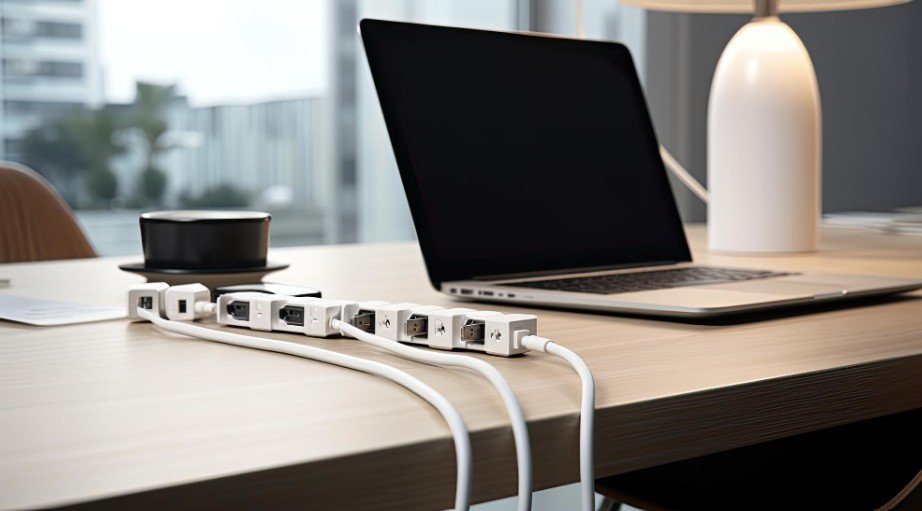
A messy desk can make even a beautiful workspace feel stressful. I have noticed that when cords are tangled under the desk, chargers are hanging everywhere, and power strips are sitting on the floor, it becomes harder to focus.
The good news is that Home Office Cable Management Ideas for a Cleaner Desk do not have to be expensive or complicated. With a few simple changes, any workspace can feel calmer, safer, and easier to use every day.
Why Cable Management Matters in a Home Office
Cable management is not only about looks. Loose cords can collect dust, create tripping hazards, block chair movement, and make it difficult to clean around the desk. A cleaner setup also helps protect devices because cables are less likely to bend, pull, or disconnect by accident.
A tidy desk makes the workspace feel more intentional. When everything has a proper place, it becomes easier to sit down, work, and stay focused without visual clutter.
Cable control works even better when paired with smart home office layout ideas for maximum productivity, because a well-planned desk position makes cords easier to hide, reach, and maintain.
Start by Removing What You Do Not Need
Before buying cable trays or clips, start with a full cable reset. Unplug everything safely and check which cords are actually used daily. Old chargers, extra HDMI cables, unused USB cords, and duplicate adapters often create most of the mess.
Group cables by device, such as monitor, laptop, printer, lamp, phone charger, and power strip. This makes it easier to decide what should stay on the desk, what can go under the desk, and what can be stored away.
Use an Under-Desk Cable Tray
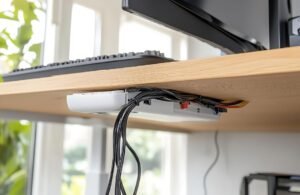
An under-desk cable tray is one of the cleanest ways to hide power strips and long cords. Instead of leaving everything on the floor, the tray keeps cables lifted and tucked behind the desk.
This works especially well for monitors, desktop computers, speakers, and docking stations. For a renter-friendly setup, choose clamp-on trays or adhesive-mounted options that do not require drilling.
Control Daily Chargers With Cable Clips
Phone chargers, laptop chargers, and earbud cables are usually the cords people reach for every day. If they keep falling behind the desk, cable clips can solve the problem quickly.
Attach clips along the back or side edge of the desk so each charging cable stays within reach. This keeps the surface clean without hiding the cords you actually need often.
Bundle Long Cables With Velcro Straps
Long cords create loops, knots, and clutter. Velcro straps are better than tight plastic zip ties because they can be opened and adjusted later.
Bundle cables by direction, not randomly. For example, keep monitor cords together, charging cords together, and power cords together. This makes troubleshooting easier when you need to unplug one device.
Hide Floor Cords With Cable Boxes and Raceways
If a power strip must stay near the floor, place it inside a cable management box. This hides bulky plugs and keeps dust away from the outlet area while helping you organize your tech and purge unnecessary cords.
For cords running across a wall or baseboard, use adhesive cable raceways. These are helpful for printers, lamps, routers, and desks placed away from the wall. Choose a color that blends with the wall or floor for a cleaner look.
Standing Desk Cable Management Tips
Standing desks need extra cable length because the desk moves up and down. If the cords are too short, they can pull on monitors, plugs, or docking stations.
Leave a soft cable loop behind the desk so wires can move freely. A cable spine or flexible sleeve can guide cords from the desktop to the outlet while keeping them neat during height changes.
Better Ideas for Small Desks
Small desks need smart cable placement because every inch matters. Mount the power strip under the desk, use a slim charging station, and keep only one main charging cable on the surface.
Laptop users can use a docking station to reduce cable clutter. Instead of plugging in several cords every day, one connection can manage the monitor, keyboard, mouse, and charger.
Common Cable Management Mistakes to Avoid
Do not hide overloaded power strips inside closed spaces without ventilation. Do not pull cables too tightly, especially near chargers and monitor ports. Avoid duct tape because it leaves residue and looks messy over time.
Another mistake is organizing cables once and never checking them again. Good cable management needs small updates whenever you add a new monitor, lamp, printer, or charger.
Quick Budget-Friendly Fixes
You do not need a luxury desk setup to get results. Binder clips can hold charging cables at the desk edge. Velcro wraps can shorten long cords. Adhesive hooks can guide wires under the desktop. A simple basket can hide a power strip near the wall.
These simple cord solutions also pair well with home office decorating ideas on a budget, helping your desk look cleaner and more stylish without expensive upgrades.
These small fixes are perfect for anyone who wants Home Office Cable Management Ideas for a Cleaner Desk without spending too much money.
Frequently Asked Questions
1. What is the easiest way to manage cables on a desk?
The easiest method is to unplug everything, remove unused cords, group cables by device, and use Velcro straps with cable clips.
2. How do I hide cables without drilling holes?
Use adhesive cable clips, clamp-on cable trays, cable sleeves, and raceways. These options are renter-friendly and easy to remove.
3. Are cable trays worth it?
Yes, cable trays are useful because they keep power strips and long cords off the floor, making the desk area cleaner and safer.
4. What are the best Home Office Cable Management Ideas for a Cleaner Desk?
The best ideas include under-desk trays, cable clips, Velcro straps, cable boxes, raceways, and smart charger placement.
Final Thoughts
A cleaner desk can completely change the way a workspace feels. I like starting with the basics: remove what is not needed, group the important cords, and hide the bulky parts under or behind the desk.
From there, simple tools like clips, trays, sleeves, and Velcro straps make the setup easier to maintain. With the right Home Office Cable Management Ideas for a Cleaner Desk, your workspace can look sharper, feel calmer, and support better focus every day.