I have learned that a chair can quietly decide how a workday feels. A good one helps me stay focused, relaxed, and supported. A bad one makes every hour feel longer. That is why How to Choose the Right Office Chair for Long Hours matters before buying any desk chair for home office, business work, studying, or daily computer use.
Why Your Office Chair Matters During Long Workdays
Long sitting puts pressure on the lower back, hips, thighs, shoulders, and neck. The right office chair does not just look professional. It helps your body stay supported while allowing small movements throughout the day.
A chair for long hours should support posture without forcing you into a stiff position. It should adjust to your body, desk height, and working style. When the chair is wrong, you may start leaning forward, lifting your shoulders, crossing your legs, or sitting on the front edge of the seat. These small habits can create discomfort over time.
Before choosing a chair, it also helps to review home office layout ideas for maximum productivity so your desk, chair, screen, and storage all work together comfortably.
Check Lumbar Support First
Lumbar support is one of the most important features in an office chair. It supports the natural curve of the lower back and helps reduce slouching. For long workdays, choose a chair with adjustable lumbar support instead of a fixed bump that may not fit your back.
The best option lets you move the lumbar support up, down, forward, or backward. When you sit back, the support should touch your lower back comfortably without pushing too hard. If the chair leaves a gap behind your lower back, it may not give enough support for long hours.
Choose the Right Seat Height
Seat height decides how well your whole body lines up with your desk. Your feet sh

ould rest flat on the floor. Your knees should stay close to a 90-degree angle or slightly open. Your thighs should feel supported without pressure.
A pneumatic height adjustment is best because you can change the height while seated. If your feet do not touch the floor after adjusting the chair to desk level, use a footrest. This helps reduce pressure behind the knees and keeps your posture more stable.
Look at Seat Depth and Cushion Comfort
Seat depth is often ignored, but it matters a lot for long sitting. When you sit all the way back, there should be a small gap of about two to three inches between the front edge of the seat and the back of your knees.
If the seat is too deep, it may press behind your knees. If it is too short, your thighs may not get enough support. A good cushion should feel firm but not hard. Very soft seats may feel nice at first, but they can sink too much after a few hours.
Pick Adjustable Armrests
Armrests help reduce shoulder and neck strain when they are set correctly. Your elbows should rest close to your body, and your shoulders should stay relaxed. Adjustable armrests are better than fixed ones because desk heights and body sizes vary.
Look for armrests that move up and down at minimum. For better comfort, choose 3D or 4D armrests that also move forward, backward, inward, and outward. Avoid armrests that force your shoulders upward or stop you from pulling close to the desk.
Choose Breathable Materials

Material affects comfort, especially during long work sessions. Mesh chairs are popular because they allow airflow and help reduce heat buildup. Fabric chairs can feel softer and warmer, much like fabric and leather sofas. Leather or faux leather chairs look premium but may feel hot after many hours.
For daily long-hour use, breathable mesh or high-quality fabric is usually more practical. Also check the seat cushion quality, stitching, and frame strength. A stylish chair is not useful if it becomes uncomfortable after one month.
Recline, Tilt, and Movement Support
A chair should not lock your body in one position all day. Recline and tilt features let you change posture, reduce pressure, and move naturally. A good office chair should allow controlled reclining, tilt tension adjustment, and stable back support.
The backrest should move with you but not feel loose. Tilt lock can help when you want a more upright position for focused work. For long hours, movement matters because your body needs small posture changes throughout the day.
High-Back vs Mid-Back Office Chairs
A high-back office chair supports the upper back, shoulders, and sometimes the head. It is useful for people who sit for long hours, take calls, recline often, or want full-back support.
A mid-back chair can work well for shorter tasks or compact spaces. It supports the lower and middle back but usually does not support the shoulders or head. For extended workdays, a high-back ergonomic chair is often the better choice.
Do the Long-Hours Chair Fit Test

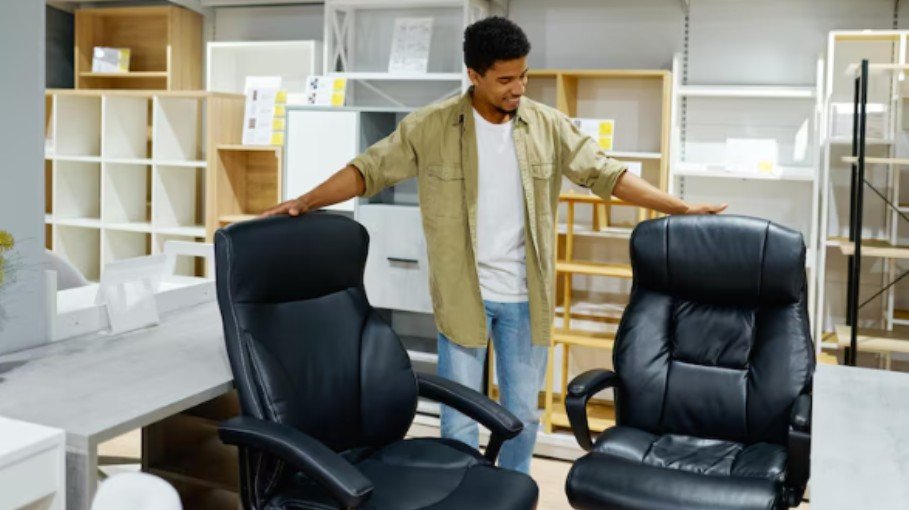
Before buying, use this simple fit test. Sit fully back in the chair. Your feet should be flat. Your knees should feel relaxed. Your lower back should touch the lumbar support. Your shoulders should stay down. Your elbows should rest comfortably. Your screen should be at eye level.
If you feel pressure behind your knees, tension in your shoulders, or a gap near your lower back, the chair may not be right. This test is one of the easiest ways to understand How to Choose the Right Office Chair for Long Hours without getting distracted by looks alone.
Mistakes to Avoid When Buying an Office Chair
Do not buy only based on design. A beautiful chair with poor support can become painful quickly. Do not choose a chair without checking weight capacity, seat width, adjustability, and return policy.
You can also compare chair style with home office decorating ideas on a budget so the setup feels comfortable, useful, and affordable.
Avoid chairs with fixed arms, weak lumbar support, thin cushions, or no recline control if you work long hours. Also avoid assuming that expensive always means better. The best chair is the one that fits your body, desk, and daily routine.
Frequently Asked Questions
1. What is the best office chair for sitting long hours?
The best office chair for long hours has adjustable lumbar support, seat height control, seat depth adjustment, breathable material, armrest adjustment, and smooth recline support.
2. How do I know if my office chair is ergonomic?
An ergonomic chair should adjust to your body. Your feet should stay flat, your lower back should be supported, and your shoulders should feel relaxed while typing.
3. Is mesh or leather better for long sitting?
Mesh is usually better for airflow and long workdays. Leather looks more formal but can feel warmer during extended sitting.
4. How to Choose the Right Office Chair for Long Hours if I work from home?
Choose a chair that fits your desk height, supports your lower back, allows movement, and stays comfortable after at least one to two hours of sitting.
Final Thoughts
I would never choose an office chair by looks alone. For long workdays, comfort, support, and adjustability matter more than style. The right chair should fit your body, help your posture, and make work feel easier from morning to evening. Once you know what to check, buying the right chair becomes much simpler.